How do I install SPSS Amos as a student?
Installation and activation
-
Download the installation file for SPPS Amos from the Student Web (Note: SPSS Amos is only available for Windows)
-
If you are not on campus, you need to connect to the University's network via eduVPN before you can install SPSS. Here's how to do it: eduvpn on Windows
-
Install the program as usual, but in the last step choose not to start SPSS Amos before clicking Finish

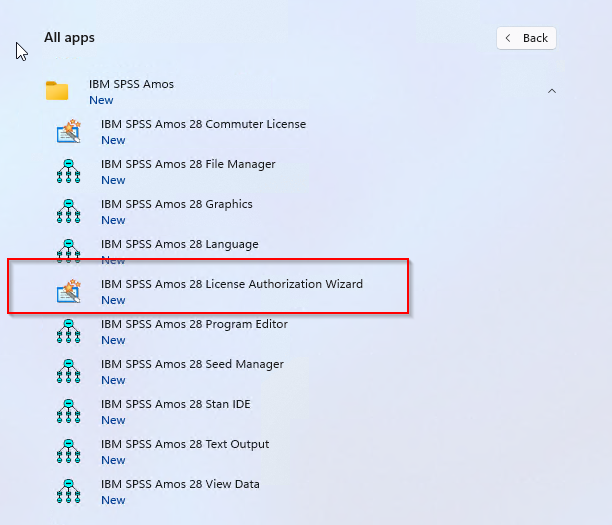
- Look for the IBM SPSS Amos 18 License Authorization Wizard under your installed applications and launch it.
-
You will now have a window that says you do not have a license.

-
Click Next
-
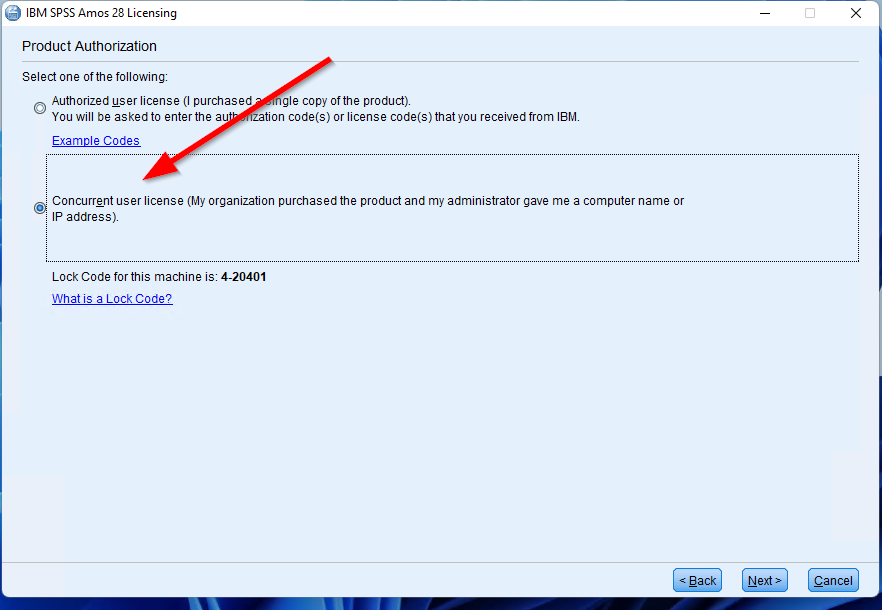
Select Concurrent user license and click Next
-
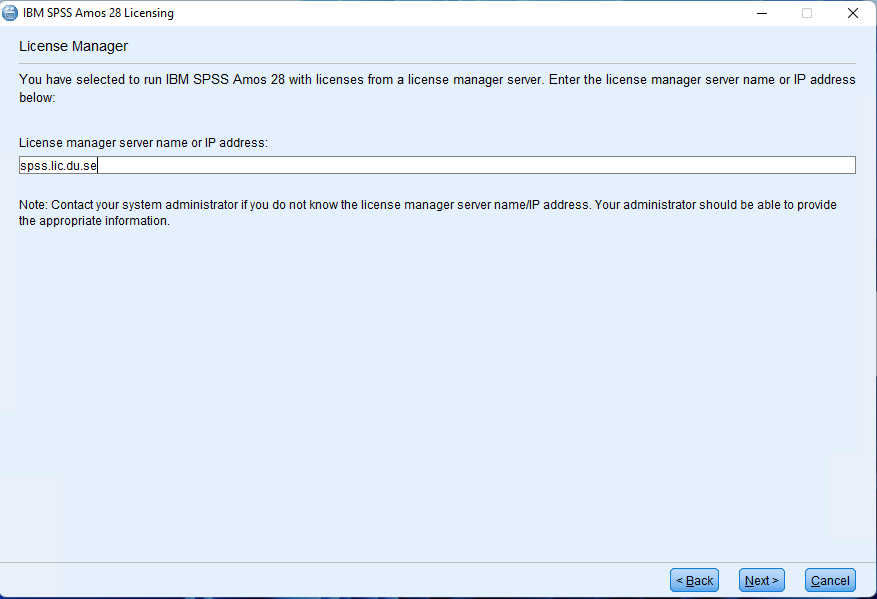
Type spss.lic.du.se as License manager server name and click Next
-
Click Finish

- Now you can start using SPSS Amos.
This article helped me!
Message